Plan your wall like a craftsman.
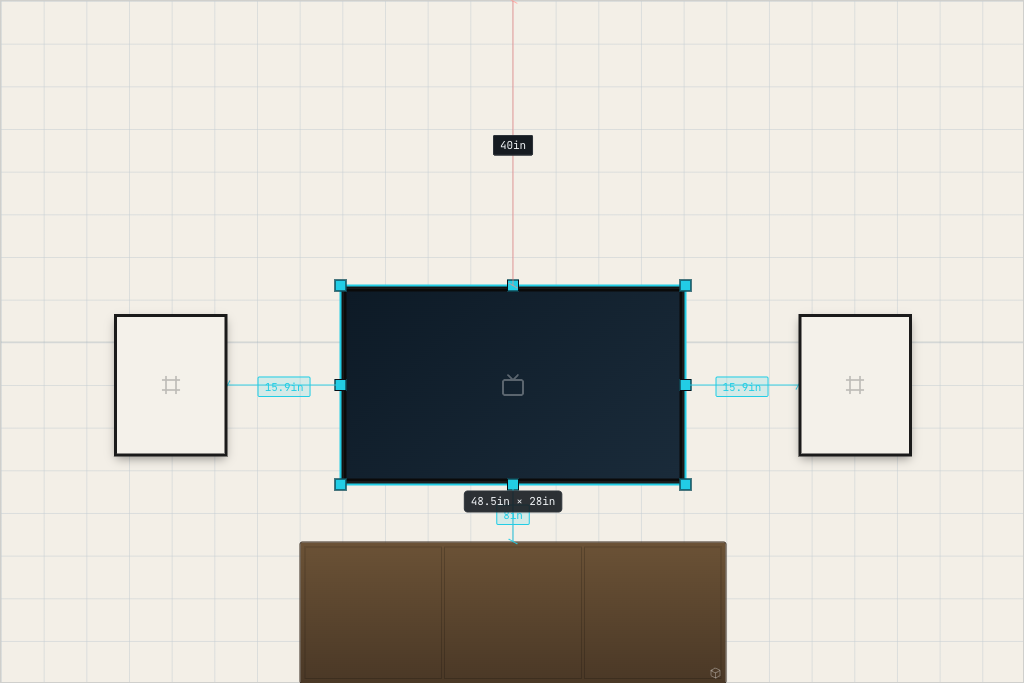
Drag TVs, frames, and shelves onto a real-scale wall. Snap them flush. Take a photo of the actual room — Wall Studio renders the plan in place.
The contents of the toolbox.
Real-world dimensions
Work in inches, centimeters, feet, or meters. Every drag respects scale.
Smart snap & align
Snap to grid, edges, centers, and siblings. Even spacing in one click.
Grid & guides
Toggle the wall grid and live dimension labels while you work.
TVs, frames & shelves
Drop in TVs by size, common frame ratios, and shelving — all to scale.
Your own artwork
Upload images for gallery walls. Aspect ratios stay locked while you move.
AI render on your wall
Take a photo of your wall and render your layout in place. 1 credit per render.
Three steps, blank wall to render.
- 1.Step 1 / 3
Set your wall
Enter the dimensions of the wall you're decorating.
- 2.Step 2 / 3
Lay out objects
Drag in TVs, frames, shelves, and your own images. Snap them into place.
- 3.Step 3 / 3
Render on a photo
Upload a photo of your real wall. AI places the layout in your space.
Pay only for the renders.
The designer is free, forever. Credits never expire.
- 50 AI wall renders
- Never expire
- Unlimited designs
- 200 AI wall renders
- Never expire
- Unlimited designs
USD · Taxes at checkout where applicable · Refund policy